 O Caption
Auto subtitles in DaVinci Resolve — Arabic and English
How to add automatic subtitles to a video in DaVinci Resolve in Arabic and English, free and without uploading.
Subtitles raise views, make a video clear without sound and help it show up in search. In DaVinci Resolve you can generate them instead of typing.
Option 1: Resolve's built-in feature
The paid DaVinci Resolve Studio has «Create Subtitles from Audio». It produces a transcript, but Arabic support is limited and the result is plain text without templates or motion.
Option 2: the free O Caption
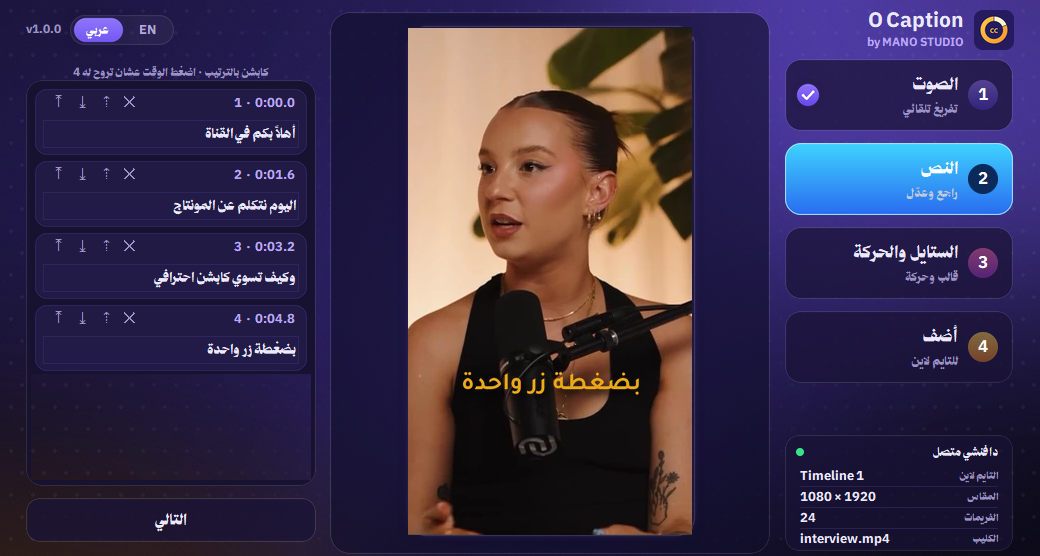
Works in free Resolve and Studio. It transcribes with Whisper on your machine (Arabic, English or auto) and adds each line as Text+ with the template and move you pick.
- Open the timeline with the speech.
- Workspace > Scripts > O Caption.
- Pick the language and press Transcribe.
- Set the words per line.
- Review, pick a template, and add.
Export an SRT file
Need an SRT for YouTube? Import a ready SRT into the tool, or export the subtitles from a Subtitle track in Resolve.
💡 For reels, animated captions with a clear template get more engagement than plain bottom subtitles.